
Initial NotesOracle Touch
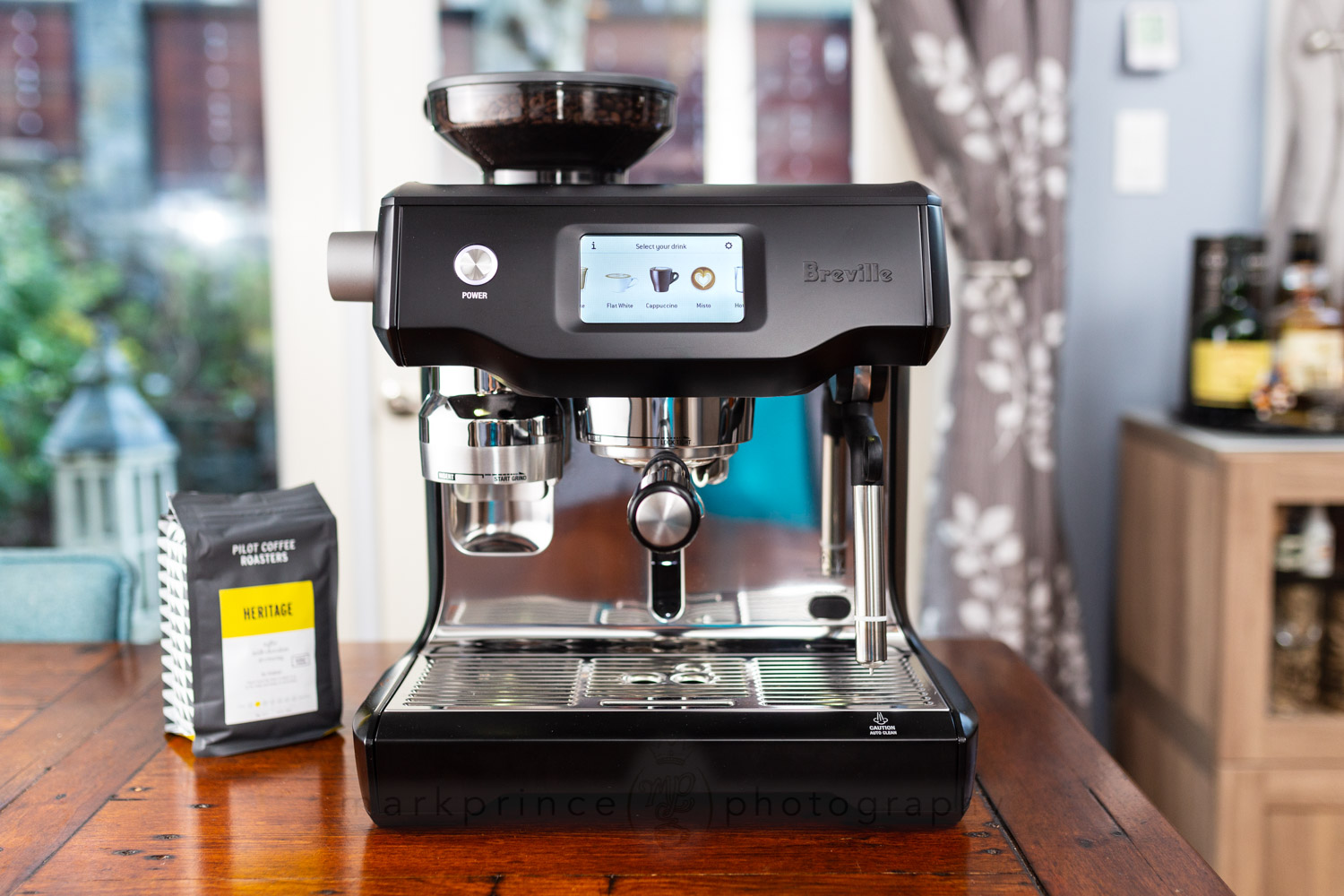
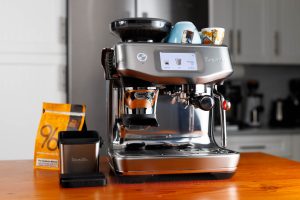
This is a First Look at the $2,500 (now $2,800 as of 2025) Breville OracleTouch automated, dual boiler espresso machine. It is not only the most expensive espresso machine from Breville, but one of the most expensive products the company sells across their entire line of appliances. The price rivals many of the dual boiler traditional machines coming out of Germany, Italy, and Switzerland. It is a beast, and at launch, is quite unique.
The Oracle Touch from Breville falls into the class of “super automatic” or “bean to cup” espresso machines. What’s a super automatic? Traditionally, it is a machine that does everything — grind coffee, dose it, tamp it, brew it, and eject the spent puck — with a single button press. The Oracle Touch omits a few things — you move the portafilter from grinder to grouphead, and remove the portafilter after the shot to knock out the spent puck — but also adds a lot more than most super automatics offer, including a wide variety of automated espresso drink builds.
In many ways, the Oracle Touch beats out other super automatics in terms of the final drink quality. This is because it’s automated systems are entirely built around a traditional, dual boiler, 58mm portafilter espresso system. It can brew using up to 21g of coffee per double shot pull.
You’ll find several reviews and takes on this machine online, both in written form and on Youtube, as Breville has been very proactive about sending this machine out, especially to the more popular Youtuber influencers. While testing the machine here, we’ve noted two specific features about the machine that hasn’t been discussed in the early reviews: that you can steam manually with the machine (a very important perk), and that you can actually change the dose of coffee that the automatic grinding and tamping system delivers (nb, since writing this First Look in 2021, several reviews by others have been updated to reflect these two details).
While this isn’t a full review (and right now we’re not planning on publishing a full and detailed review on this machine), we’re going to provide a lot of in depth information about this machine to help inform your purchase decision.
Out of the BoxOracle Touch
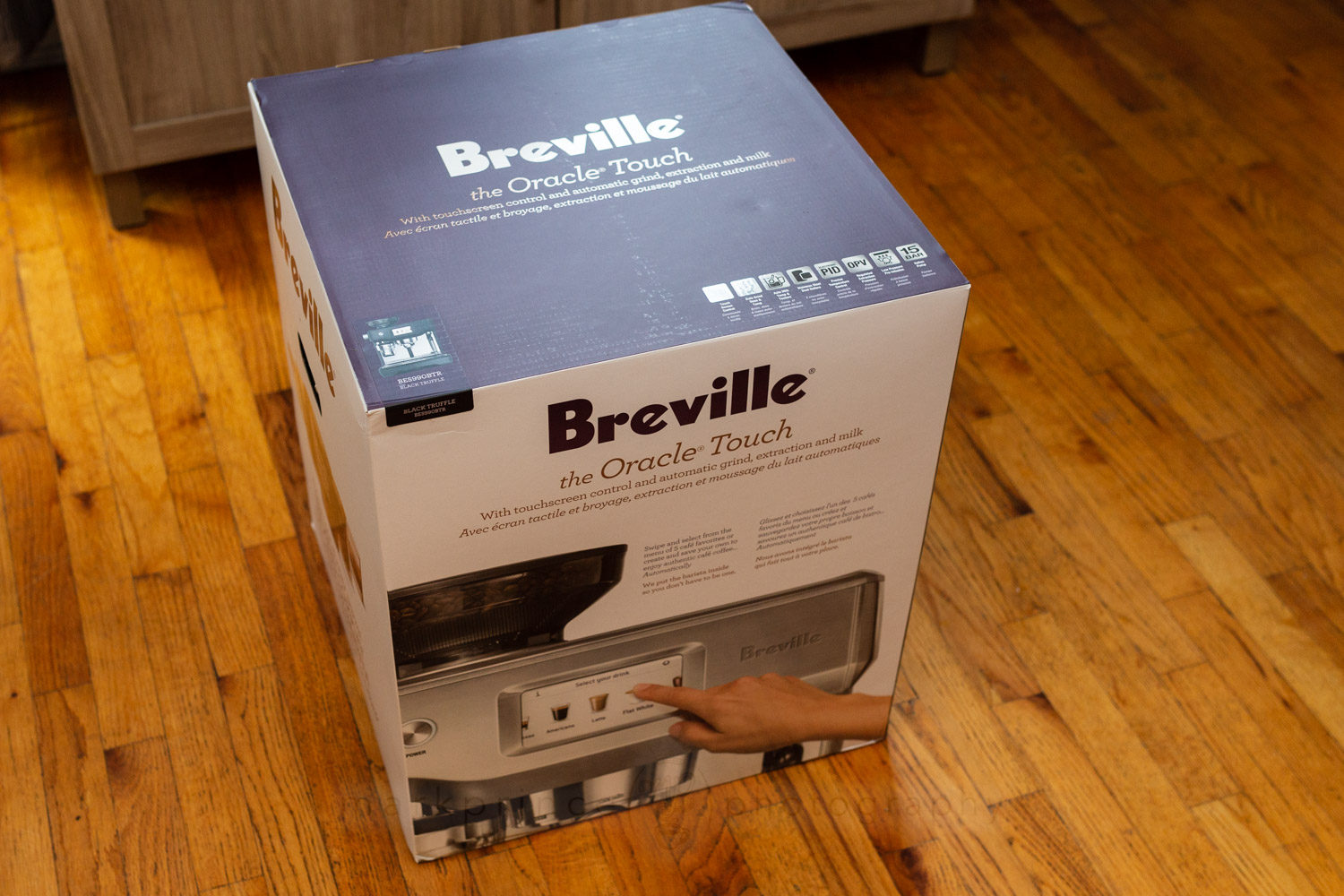
The Breville Oracle Touch is a big machine, and it comes in a big box; so big, you want to lay it on the ground to facilitate removing it and getting things set up.
As usual with Breville, the box contains lots of information about the espresso machine and what it is capable of. This is easily the most complex piece of machinery that Breville makes, but they manage to break down many of the Oracle Touch’s key features on the packaging, which helps understand what the machine can do.
Inside… well, inside the box is a lot of stuff. There is the machine of course, and the portafilter. There are just two standard filter baskets — a single and a double — because Breville doesn’t believe you will need the pressurized filter baskets with this machine (and they’d be right). You’ll find spare parts for the steam wand, and a small cleaning kit (including brushes and picks for cleaning the steam wand). You’ll also find a water filter and filter holder for the water reservoir, and a water hardness testing strip (need for the initial setup of the machine).
There’s two items in the box that most espresso machines do not come with. One is a really good quality 500ml (16oz) milk steaming jug, with a good geometry on the pour spout for pouring latte art. The other is a surprisingly fantastic quality “mini” knock box with hefty weight but a small footprint, and a neat removable knock bar. Since we received the Black Truffle Oracle Touch, the knock box is all black (the brushed steel Oracle Touches come with a brushed steel knock box).
One thing you won’t find in the box: a tamper. Most of Breville’s home espresso machines come with a tamper, but the Oracle Touch (and the Oracle) do not. Because you don’t need one with this machine. We’ll get to why that is later on.
The machine features all the usual Breville style you come to expect: the stainless steel version features Breville’s famous and iconic brushed metal finished surfaces, with mirror polish steel in various places (the splashback, the back of the machine, accents on the drip tray). We have the “Black Truffle” model for this review, and in person it looks fantastic; just the right mix of the black coating with mirror polished steel elements (nb, the machine, as of 2025, is available in Brushed Steel, Black Truffle, Seasalt White, Blue Damson, and Black Stainless Steel)
This is a dual boiler espresso machine. It has one 800ml boiler for producing steam and also pre-heating the brewing water via a heat exchanger system. A second, smaller 300ml boiler is used for brewing coffee. You can brew and steam at the same time with this machine (or grind coffee and steam at the same time, or even brew a shot while grinding at the same time, if you have two portafilters).
This is a dual PID controlled machine, with one PID on the brew boiler giving you precise water temperatures down to 1F; the second PID temperature control is not on the steam boiler however; it controls a heating element in the machine’s grouphead to quickly heat up the grouphead to operating temperatures, and to also maintain very precise brewing temperatures when pulling espresso shots. The steam boiler uses a more conventional thermostat temperature control, since precise water temperatures here aren’t as important to the function of the machine.
This combination of PID boiler control and PID grouphead temperature control results in one of the most consistent and even temperature controlled shot pulls available on any espresso machine available today, commercial or domestic.
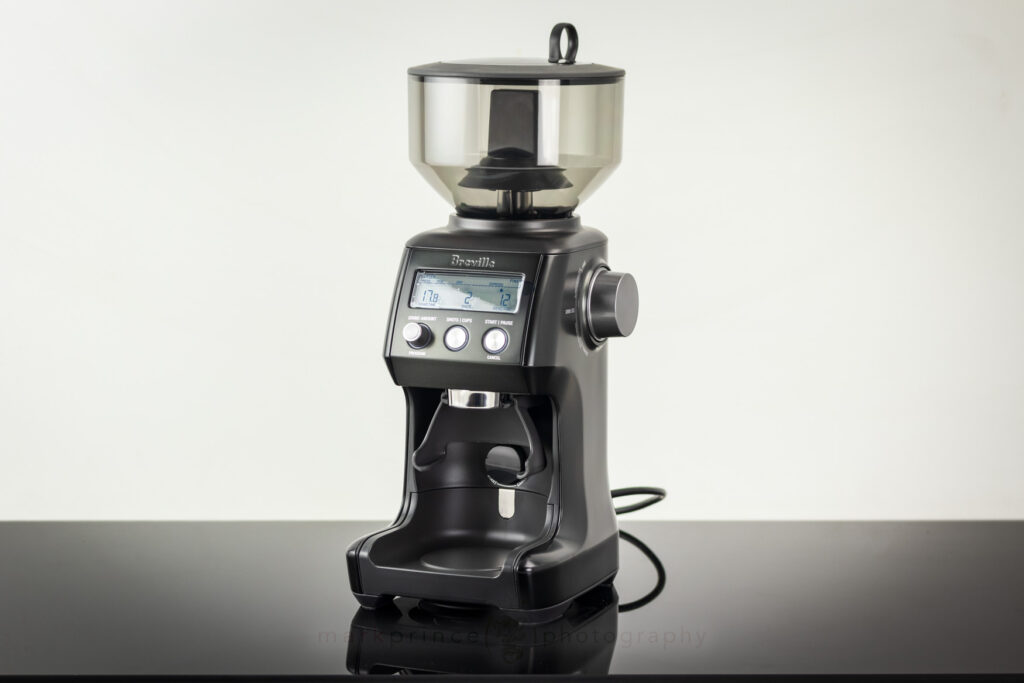
The Oracle Touch’s built in grinder is essentially Breville’s Smart Grinder Pro, but with an added feature that makes this machine entirely unique in the domestic espresso machine market: it automatically tamps the ground coffee as the grinder is operating and dosing coffee into a portafilter. I’m not talking about pressing down the coffee after the fact; an auger system actively distributes and compresses coffee during the grind dose. It may seem at first the amount of coffee dosed out cannot be changed, but Breville does provide a way to reduce (or increase) the automated dose, and we’ll cover that later on.
Not only is this system unique in the domestic espresso machine market, but as far as I know, no commercial machine uses this kind of automated system either. There are, however, dedicated coffee grinders (like the Swift, from La Marzocco) that do this kind of automated tamping system, and those grinders cost thousands and thousands of dollars.
The Oracle Touch has a massive water reservoir (2.5l, or 85fl.oz) that can be filled from the front of the machine, or from the back. The cup tray on top accommodates up to 6 espresso cups easily, or 2 cappuccino cups and 3 espresso cups, and is actively heated, to keep things nice and toasty.
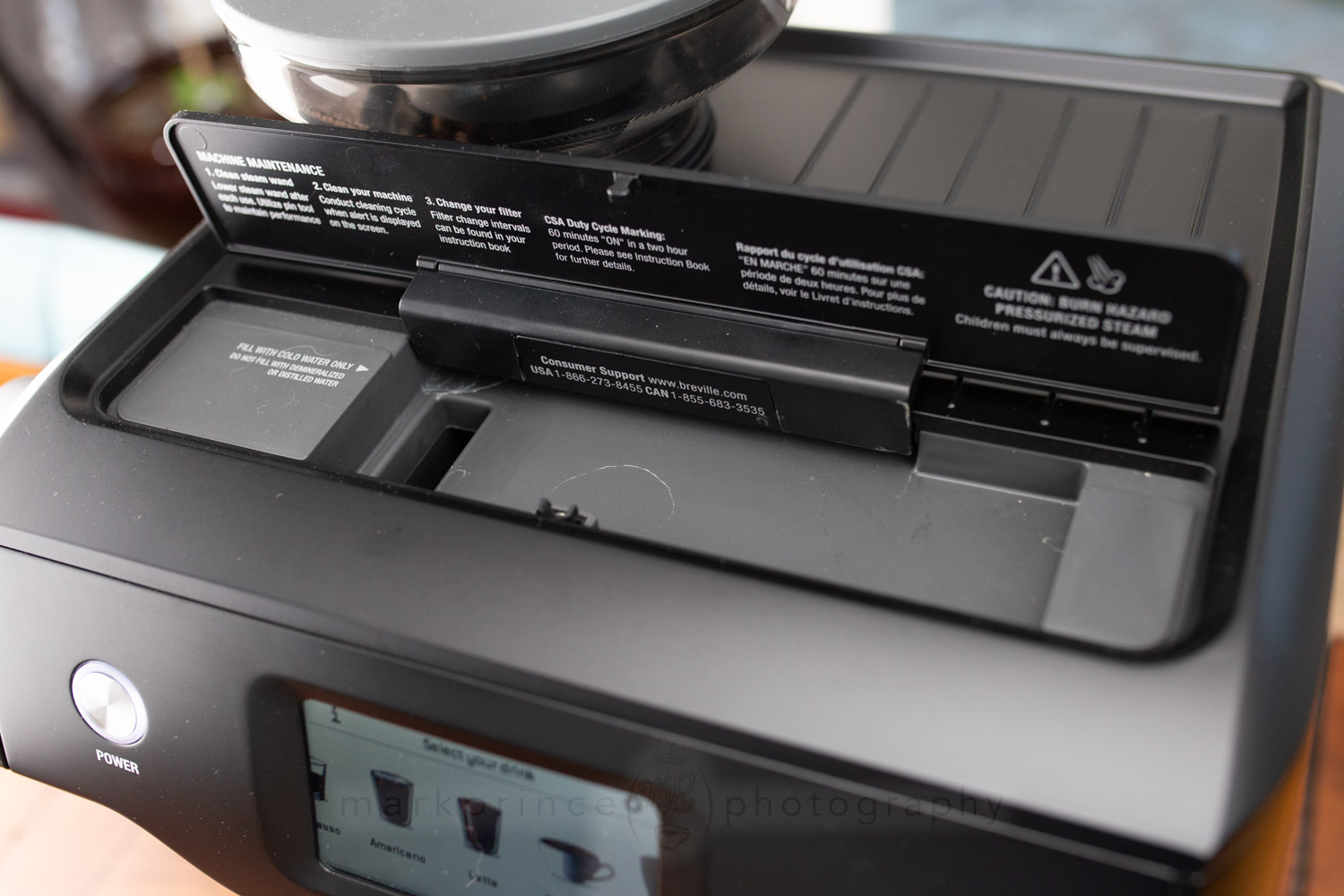
The drip tray system on the Breville Oracle Touch is well designed as well, and holds a lot of waste water. Pull the tray out, and you’ll discover the hidden accessories tray that resides deep inside the base of the machine.
The steam wand… is a beast of a system, that, believe it or not, can be used to manually steam milk, but left to it’s automated ways, does a pretty amazing job. The Oracle Touch’s steam wand is part of a fully automated system that not only actively measures the temperature of your milk as it steams, but it can also automatically vary the amount of air drawn into the milk during steaming to give you everything from flat white, barely there microfoam, up to dense, rich, copious amounts of foam for cappuccinos. The wand even cleans up after itself once the automatic steaming is done and you’ve removed the milk pitcher.
There is, however, a touch screen. And this is where, as they say, “all the magic” happens on the Breville Oracle Touch.
Subscribe to
Coffee Pulse
Join the 12,850 other coffee lovers who receive CoffeeGeek's premier newsletter. Each issue dives deep into one coffee or espresso based subject. Subscribing is free, and your personal information is never shared.

Support CoffeeGeek
If you enjoy and learn from this resource, please consider making a one time or recurring donation to help support our work and fund purchases for future reviews.

First UseOracle Touch
Be aware: it will probably take you about 20-30 minutes to fully set up the Breville Oracle Touch for the first time, including initial setup, system purges, and some tutorials the machine offers. So schedule the time.
Before you do anything with the Oracle Touch, Breville recommends you wash everything you can on it: the drip tray and cover, the portafilter, the filter baskets, and the reservoir. There may be some manufacturing residue on the parts that touch water, and they want you to wash it all off. So we did.
Once that’s all done, fill up the reservoir with water to the max (it holds 2.5 litres!), and power on the machine. You’ll get a pleasing five note startup sound, and the machine will automatically start filling both boilers. While this is going on, the touch screen up front lights up and wants some start up information, including language, whether you want Farenheit or Celsius, the date and time. Next, it runs you through all the things you need for initial setup of the machine; telling you to have the portafilter and filter baskets handy, and the water filter and water filter holder ready to go. It runs you through the setup of the water filter system, then asks you to perform a hard water test using the included test strip. This is important because the test will be used to set your machine for it’s cleaning regimen, so don’t skip it.
The setup continues: the machine wants you to purge the system (basically run a lot of water through the boilers, groupheads, steamwand, hot water tap, etc) to really flush it out and, in a sense, “season” the machine for use. Once this is done, the Oracle Touch is ready to go, but the machine gives you the option at this point to get a walk through demo of your first drink build (a latte). Again, I recommend doing this step, as it’s a nice walk through on the typical machine features in real time (you will actually build a drink).
It’s important to keep in mind this machine is designed to brew barista-competition level drinks with little to no experience, so these walk throughs and demos are nice touches that do a tiny bit of education as well as providing familiarity with the machine’s capabilities. Breville stresses some really important things about quality espresso in the demos and walk throughs, like buying freshly roasted coffee with “roasted on” dates, the importance of pre-heating your cups, and more.
Once you’ve been through all the setup and such, the machine is ready for daily use, but there’s even more setup and customization you can tinker with:
Changing the Coffee Dose
As detailed in the instruction manual, you can actually change how much coffee the auto grind and auto tamp system doses out, but it’s a manual, hands on thing that you can’t just change with the push of a button. The Oracle Touch’s auger tamper system can have its height adjusted, by removing it and its lock nut (very easy to do – just reach up into the grinder area, and spin the auger counter clock wise: the auger and it’s magnetic lock nut will pop out). Once you have the lock nut out, take the included tiny hex wrench that comes with the machine, and loosen the screw on the side of the lock nut. Turn the collar to make the lock nut longer (for less coffee) or shorter (for more coffee) and tighten up the hex screw. Re insert the magnetic lock nut into the auger, and screw them both back into the grinder chute area. I found I could go as low as 19g or as high as 24g for my dose, using Breville’s dual basket. (Mind you, 19g is still a bit much, if that’s the lowest you can go).
Auto On and Off
Because it has an internal clock, you can program it to turn on automatically at specific times during the day, and as a nice feature, you can set multiple times the machine turns on during the day (for example, have it turn on automatically at 6:10am for breakfast use, and turn on again at 4:00pm if you like having an afternoon cappuccino). You can also set the auto-off feature in half hour increments (from last use).
Brew and Steam Temperatures
This is a PID controlled machine so you can set the brew temperature (at the grouphead) to 1F increments (or 1C, but use Farenheit, because it gives you tighter control). You can also set the default temperature for milk steaming (which can be manually changed in any drink build menu).
Work Light Setting
Not mentioned yet, but the Oracle touch has LED lights over the grinder, portafilter, and steaming areas of the drip tray (very cool feature!) and you can set how bright these are in 25% increments, from off (0%) to 100% full on. You can also set the brightness of the touch screen in 20% increments, and even adjust the machine’s volume for it’s pings, dings, and songs.
Oracle Touch Guide
On the landing page of the touch screen, you’ll see an (i) information icon; clicking it brings you to a menu that shows four options: Know Your Oracle Touch, Step By Step Brew Guide, Coffee Extraction Guide, and Tips and Techniques. The last one is especially handy – it shows you a lot of the machine’s lesser known abilities, including the ability to manually steam with the machine, which can help with particularly tricky milk selections.
First ShotsOracle Touch
For our initial setup, we set the machine to turn on automatically twice a day (5:30am and 2pm), with a 2 hour auto shut off. We set the brew boiler temperature to 200F, and set the default steam temperature to 148F. I spent some time dialing in my coffee grind (adjusting the fineness), and after also adjusting the tamping auger’s height (detailed above), I settled into a 19.5 double dose, at 18 on the grind fineness settings. I set my default espresso shot time for a double to 34 seconds (which includes a 7 second preinfusion). The work lights were set to 100%, and the display, which is pretty bright at 100%, was dialed back down to 60%.
It did take some time finding the sweet spot for both my ideal dose of coffee, the grind setting, and the shot time (this is not a volumetric machine – it brews strictly on a timed basis), churning through about 200g of coffee. To be fair, that’s a “learning cost”, that only really happens the first time you really dive into this machine.
And also to be fair, Breville’s out of the box default settings should work fine for 90% of the coffees out there, but I didn’t like the default 22.5g dose the machine was doling out, at a grind setting in the high 20s. Most of that 200g of coffee I used came from fine tuning the total dosed coffee amount, the shot timings, and the grind settings. Once that price is paid, it won’t take that long, or use that much coffee the next time you happen to change coffees to a different blend or roaster, and need to re-dial in the machine.
Here’s a photo slideshow of the first “dialed in” shot pull I did with the machine.
Using theOracle Touch
I won’t lie: my first few days with the Oracle Touch from Breville, I found myself yearning for a tamper. Not because the machine doesn’t do a great job tamping coffee (it does), but because for me, the ritual of making espresso includes an espresso tamper. I found myself hoping the machine would let you just grind coffee into a portafilter and let you manually tamp, if you wanted, but it does not, and of course it does not: a lot of the money that went into the design of this machine went into the patented auto tamping system.
Succumbing to this fact, I also found myself wishing I could somehow program in how hard or soft the auto tamping system worked. But of course, you cannot, and again, why would you; this machine does a delicate, low pressure distribution and tamping of your coffee that is very tightly calibrated; once you dial in the grind fineness, it quite literally does a better job distributing and tamping your espresso-ground coffee than maybe 97% of the home and pro baristas of the world. Why would you want to mess with that.
Because I felt like all the control in the world was being taken away from me, I have to admit I was quite overjoyed when I found out I could actually use the big, bulbous steam wand in full manual mode if I wanted. Just extend the steam wand out from the machine, pick the “hot milk” option on the touch screen, and then press and hold the “steam milk” button until it changes to “manual”.
Press again to start steaming. You still get the benefit of active temperature readouts (the display will show you real-time the temperature of your milk as you steam), but you control how much or how little froth you want to create, and can steam right up to 200F if you want. The wand still auto cleans it self once you’re done, and you point it back to the drip tray.
But then again, why would you? Because let me tell you, the auto steam and froth system on this machine is quite amazing in its ability. It far surpases any auto froth system I’ve ever used in my 20 years of evaluating espresso machines and super automatics. I’ll get a bit more into this in the next section.
Back to first impressions, once I had the Oracle Touch dialed in, I was exceptionally pleased with the shot quality it produced. I felt the 7 second default preinfusion was good, but I also liked that I could override this and manually control how long or short the preinfusion was for a shot pull. As they say “the results are in the cup”, and this new fangled super auto definitely does produce a quality beverage in the cup as long as you provide it with good water and good coffee.
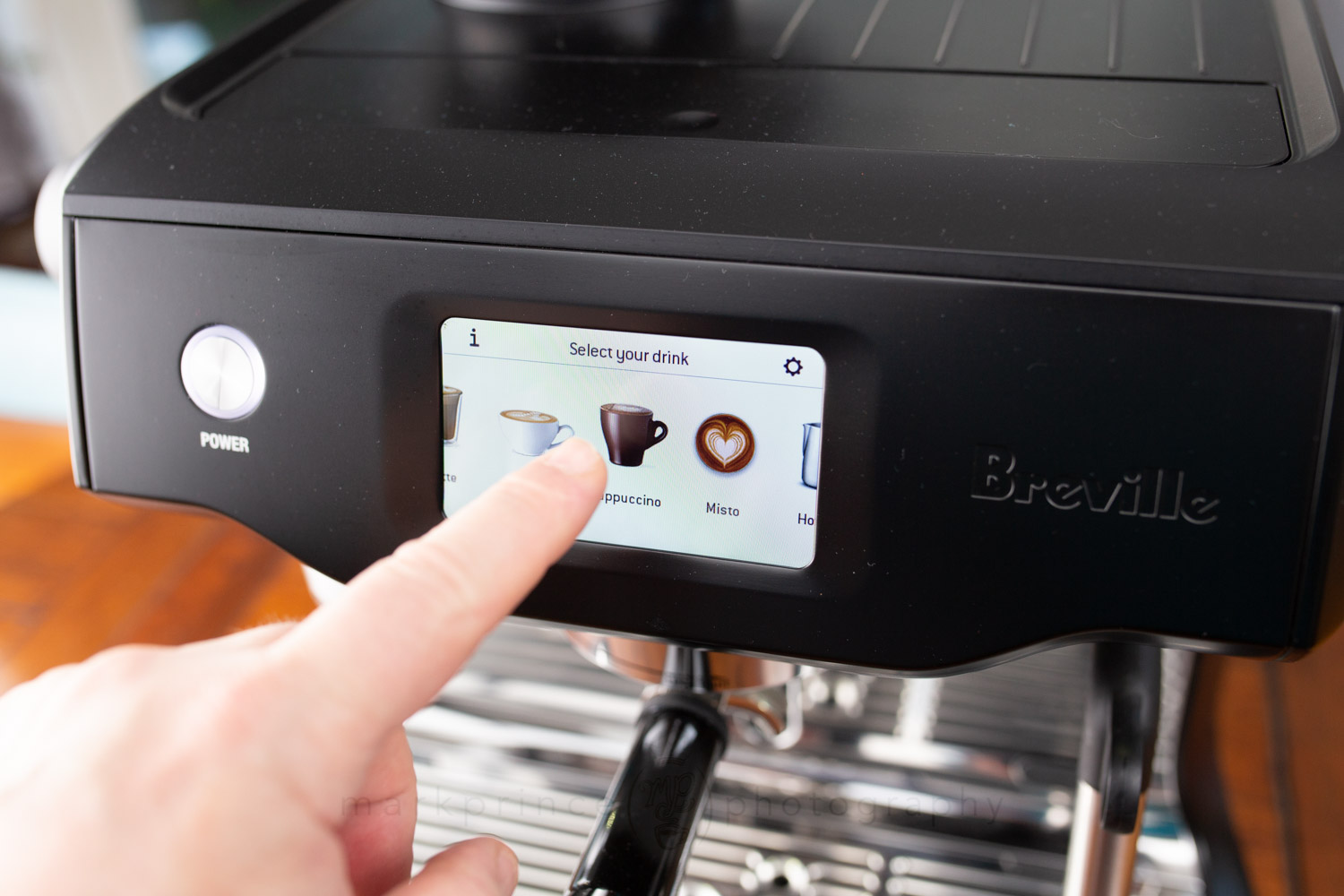
The touch screen provides a lot of options. The standardized drink builds are there, but you can also program in your own custom drink builds, including more complicated ones, like the Misto (which requires a) a double shot of espresso, b) hot water, and c) low foam, low temperature steamed milk).
When you’re in a standard drink like the cappuccino, you can semi-permanently change the drink’s parameters to more meet your own definition of a cappuccino. For instance, the factory default is brewing a single shot, with milk heated to 150F, and “8” level foam. If you press and hold the cappuccino icon graphic, you get a popup that says “edit” or “reset”. Pick edit, and you can change the shot from a single to a double, and change the milk temperature and foam level. I set our machine up to brew a double shot, with the milk going to 147F, and foam level 7.
If we do publish a full detailed review, I’ll really dive deep into all the customizations the Breville Oracle Touch offers. But one thing really bothers me about this machine: if anything in the built in recipes is off or wrong, Breville can’t update it. It would have been fantastic if this expensive machine had at least a way to update the firmware. It does not, at least for the end user.
Drink and Milk Quality
Honestly, the Breville Oracle Touch will put many professional baristas to shame. Definitely not the top pro baristas, but certainly the majority of them out there.
I still cannot believe how good a job this machine does steaming and foaming milk. When it starts, you get a bit worried, because you see some big bubbles formed and wonder if this is going south fast, but the speed and agitation of the milk in the pitcher picks up as the milk heats up, and you soon see things settle down, and you see a quality microfoam form. And the milk temperatures are absolutely spot on. If you dial in 145F, you get within 2F of that final temperature (we used a Fluke Thermometer to test).
I did notice the amount of actual foam produced varies a bit. We set our cappuccino default foam level to 7, but it seemed a bit all over the map: sometimes copious amounts of microfoam allowing you to create a true drink of thirds, other times, barely 1cm of foam in the 500ml steaming pitcher holding a good 200ml of milk. I would blame the milk itself more than the machine on this, as I was testing whole, 3.25%fat, 2%fat and even 1%fat milk, and depending on the age of the milk and how chilled it was to start will factor in how much or how little foam this automated system will create. This is one area where manual steaming can do a better job: when you manually steam and notice foam’s a little hard to come by, you can stretch the milk a bit more aggressively to get more foam. The automated system on the Oracle Touch can’t do that kind of on-the-fly change.
As for espresso output – it’s absolutely fantastic once you dial the machine in. My standard rig in my test area is a Sette 270Wi grinder married to a La Marzocco GS3 MP espresso machine, running at 201.4F, using 18.6g doses, delivering 40-45g of liquid espresso, using Pilot Coffee’s Heritage Blend. To do a proper comparison, I dialed my dose up to 19.5g on the Sette 270Wi, changed the grind a tad coarser to compensate for the upped dose, and dialed the PID down to 200.9F. These settings brought it on par with the Oracle Touch’s setup.
I did a series of six blind comparisons: I pulled shots on both machines at nearly the same time (letting the auto features of the Oracle Touch do their thing while I manhandled the GS3), and had my partner take the identical cups, stir them, and hand them back to me not telling me which was which.
On only two occasions did I pick GS3 shots as tasting better than the Oracle Touch. The other four were a dead heat tie. I was surprised and a bit freaked out by this.
Overall Thoughts
In my very early, initial testing of the Breville Oracle Touch, I found it produces excellent microfoamed steamed milk, and excellent shots of espresso. And it does both with minimal human interaction. You’re just there to move the portafilter from the grinder to the grouphead, to dump out the spent puck, and to wipe the outside of the steam wand once it’s done.
Sigh.
A bit more seriously, if you just want to use this machine with the factory defaults and presets, it’s going to deliver quality beverages. Breville didn’t just “mail in” the settings; they consulted with some of the top baristas in Australia when setting them up, and tested thousands of kilos of coffee from a wide variety of roasters when designing and setting up the grinder and tamper system.
Because I am a bit of a control freak when it comes to espresso crafting, I like and appreciate that I can change things like shot times, grind fineness, boiler temperatures, and even the milk temperatures and froth levels for various drink builds. I like that I can steam manually with this machine if I want, especially if I have tricky (read a bit older or lower in fat) milk that needs a finesse touch to produce decent microfoam. I also like that Breville does provide the option to change the dosed weight of coffee, albeit in a manual, hands on way that most people won’t ever know about or do.
There’s so many little niceties about this machine that I could go on and on about. The hidden “wheel” under the drip tray that allows for easy movement of this heavy machine around the counter. The actively heated cup tray on top is a nice bonus. The fact the machine comes with a high quality knock box is, as far as I know, unique in the domestic espresso machine marketplace. The noise levels are acceptable, and even quiet when compared to grinders like the Baratza Sette series. The fit and finish is a few steps above Breville’s entry level machines, something that’s also important to note.

Support CoffeeGeek
If you enjoy and learn from this resource, please consider making a one time or recurring donation to help support our work and fund purchases for future reviews.
ConclusionOracle Touch
The Breville Oracle Touch is a beast of a machine. It occupies a pretty large footprint on the counter, and at $2,800 average US price, isn’t cheap by any stretch. But the quality is in the product. The innovation is in the product.
It could be better (for instance, I think Breville could have designed the touch screen interface and various screens a lot better, and provided more “pro” style info on the touch screens, or let you customize the look of the screen more, showing you info you most want), but even with those quibbles, this is quite an amazing, innovative machine that’s not for the super espresso nerd, but is for the person who wants the best quality espresso-based drinks in the home with the least amount of fuss.
The Oracle Touch has a ton of features and a lot of “hidden content” that you find once you dive deep into the touch screen’s menus and options. If the control freak in you is getting upset that you can’t tamp your coffee, or spend five minutes gently massaging and distributing the grinds in your bed of coffee, you can at least find solace in the fact that you can control your milk temperature down to 1F, and build you own crazy Starbucks-inspired drink recipe in the touch screen interface if you so desire.
I found almost nothing to complain about with the espresso quality coming from the machine. I’m not a fan of the default 22.5g (ish) dose the machine does, comes out of the box, but that can be changed. The actively heated grouphead is a great feature, and the precise grouphead brewing temperatures lead the industry as a result.
Who’s this machine for? It’s not for the home espresso geek who treats coffee and espresso as their primary hobby. But this machine is for the person who demands the best possible espresso based drinks but doesn’t have the time or inclination to hand craft these beverages. Supply this machine with quality water and quality, fresh roasted coffee, and it will deliver gold standard espresso based drinks in return with minimal fuss.
We use affiliate links to a) Amazon, and b) manufacturers only. Any links to vendors (including CoffeeGeek Sponsors) are not income generating links. Further details about our commission and affiliate link policies can be found on our Terms and Conditions Page. The use of any affiliate links have no effect on our editorial policy or review objectivity.